Corrosion Solutions: How to Remove PCB Corrosion and Prevent Circuit Board Damage
Introduction
PCBs are the core of all modern electrical devices, but even the most well designed and built PCB assembly is susceptible. The constant threat? Corrosion, defined as moisture, chemical action or contact with certain environmental substances that induces rusting or other forms of decay on the metallic components. An untreated corrosion can lead to short circuits and bad electrical contact, and it could even overheat and fail the instrument.
When you know how to clean PCB corrosion properly with the right methods and products, you can clean a circuit board and you’re not at risk of frying the board. This is a trustworthy washing method guide, which can get dust and rust off, choose suitable cleaning agents, breeze-dry and prevent future corrosion in the long term. Even if you are a beginner with cleaning printed circuit boards, these instructions will enable you to safely restore and maintain your electronics.
For electronics used in industrial, automotive, marine or outdoor applications, manufacturers like LingKey for the production of PCB and PCBA offers higher reliability and the option of applying a corrosion-resistant surface finish.
Understanding PCB Corrosion
What is PCB Corrosion?
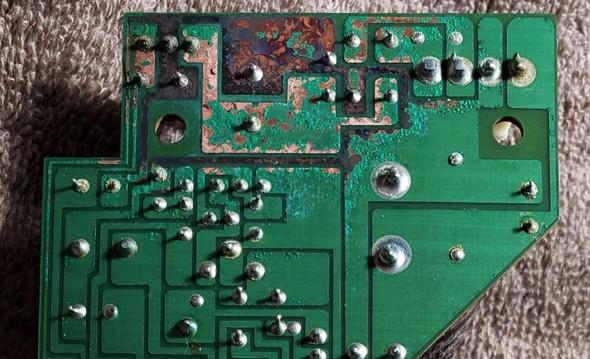
PCB corrosion is defined as the degradation of the conductive material on a surface of a PCB, that is, the copper traces and solder joints are corroded by the moisture and/or the atmospheric gases and contaminants. These reactions create oxides and salts which eat away the electrical connections and the mechanical integrity of your pcb.
Corrosion occurs in various forms, including:
- Atmospheric corrosion: Corrosive layers formed by long water vapor or dirty air exposure.
- Galvanic corrosion: What is when two different metals in the PCB assembly come in contact by means of an electrolyte. Galvanic corrosion is especially prevalent in connector pins and component legs.
- Localized corrosion: Localized, light rusting typically near leaking batteries or under sealing tape.
While corrosion is commonly mistaken for rust, rust is iron oxide and is uncommon in PCBs because most traces are copper or tin—but corrosion can be equally damaging, particularly if left untreated.
Types of PCB Corrosion
| Type | Where It Occurs | Appearance/Impact |
| Uniform Corrosion | Entire pcb surface | Dullness, increased resistance |
| Galvanic Corrosion | Dissimilar contacts | Eaten traces, pitted areas |
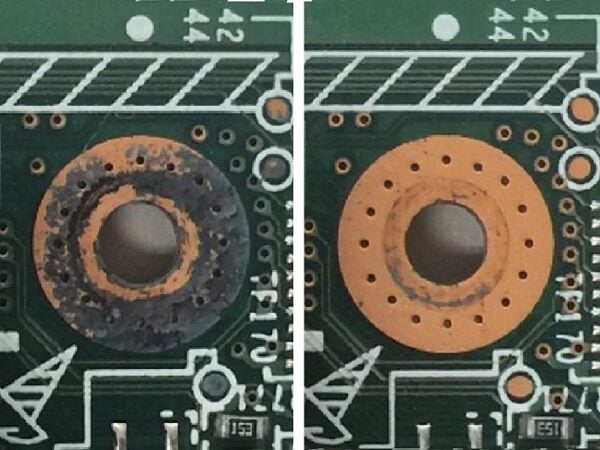
| Pitting Corrosion | Solder pads, traces | Deep, small holes, can break electrical connections |
| Crevice Corrosion | Under components, solder mask | Dark lines, intermittent faults |
| Filiform Corrosion | Under solder mask | Thin, threadlike growth, can lift mask |
| Stress Corrosion | Mechanical stress points | Cracks, possible ion migration causing short circuits |
Knowing these differences will allow you to better choose the suitable cleaning techniques and restoring solutions.
How Corrosion Affects Circuit Board Performance
Corrosion is promoted in a water environment, but the ions dissolved in the water also has an influence. It interferes with electrical contacts, resulting in:
-
Short circuits can cause heating and damage, to parts.
-
They can also increase resistance, which leads to signals and unstable performance.
-
Plus, oxidation or weird residues can stop soldering from working, causing shorts or mess up power flow.
- Complete failure to function if the corrosion had eaten critical traces.
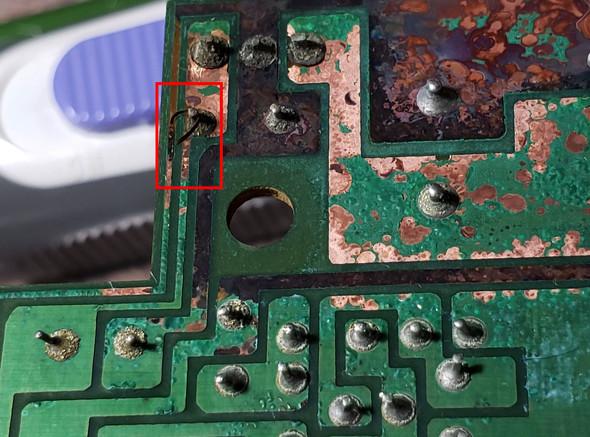
Common Signs, Symptoms, and Causes of Circuit Board Corrosion
Visual and Functional Symptoms
If you see any of the following on your PCB board, take immediate action:
- Green or white residue (cupric or acidic battery leakage)
- Rusty or black discoloration on or near connectors or battery terminals.
- Dust accumulation or fuzzy spots (usually the result of salt or alkaline battery waste products)
- Clumps of popped pads, damaged solder joints, or scorch marks from shorts.
- Noticeably slower device operation, especially if the PCB was soaked in water.
Main Causes
- Moisture and Humidity: The usual suspect, especially if the devices are unsealed.
- Battery corrosion and flux residue: Common PCB cleaning issue.
- Industrial gases or salt environments: Pitting corrosion or forming under salt-laden dust is very possible.
- Mishandling or the absence of an ESD protocol: Deposits fingerprints, sweat and oil which could produce rusting.
- Overheating: the solder mask can fracture and expose the copper to the corrosive media.
Preparing to Clean PCB Corrosion
Before cleaning circuit boards, good preparation prevents further damage to the board:
- Power off and disconnect the PCB assembly.
- Gently take out the board from its enclosure.
- Work on an anti-static mat and use an anti-static wrist strap.
- Take a picture of the board for an easier reassembly after cleaning.
- Determine whether the corrosion is just on the surface or if it has burrowed under traces and pads (repairs might be needed).
Essential Tools and Safe Cleaning Products for PCB Cleaning
For proper board cleaning, assemble the following:
Manual Tools:
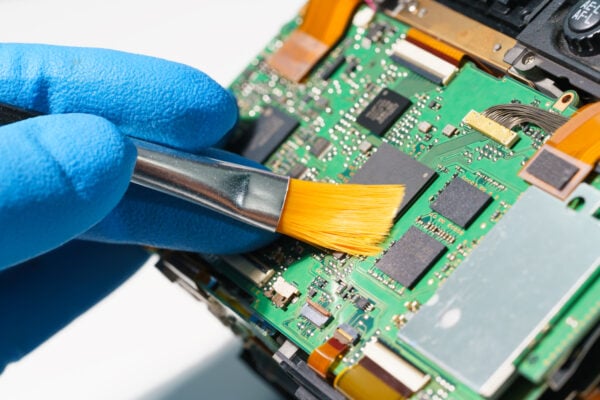
- Soft brush or toothbrush
- Cotton swab for gentle cleaning around small parts
- Microfiber cloth or lint-free wipes
- Tweezers or wooden toothpicks
Cleaning Agents and Products:
- High-purity isopropyl alcohol (IPA, ≥90%) – the best solvent for removing ionic contamination and as a degreaser
- Contact cleaner – safe for electrical components during spot cleaning
- Distilled or de-ionised water for rinsing
- White vinegar for neutralizing alkaline battery salts
- Baking soda and water solution for acid neutralization
- Specialized PCB cleaning agents and solvents, as needed
Advanced Tools:
- Compressed air for dust removal
- Ultrasonic PCB cleaning bath for serious corrosion removal
- Multimeter for continuity/resistance tests after cleaning
Avoid the use of abrasive tools, strong acid or bleach when cleaning the PCB as it may remove traces and pads.
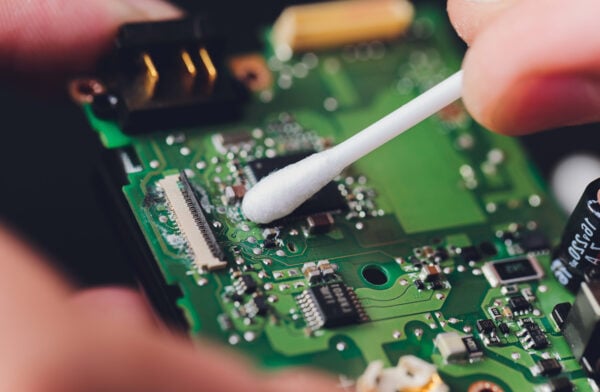
Step-by-Step Guide: How to Clean PCB Corrosion Effectively
Manual Cleaning (IPA and Alternative Agents)
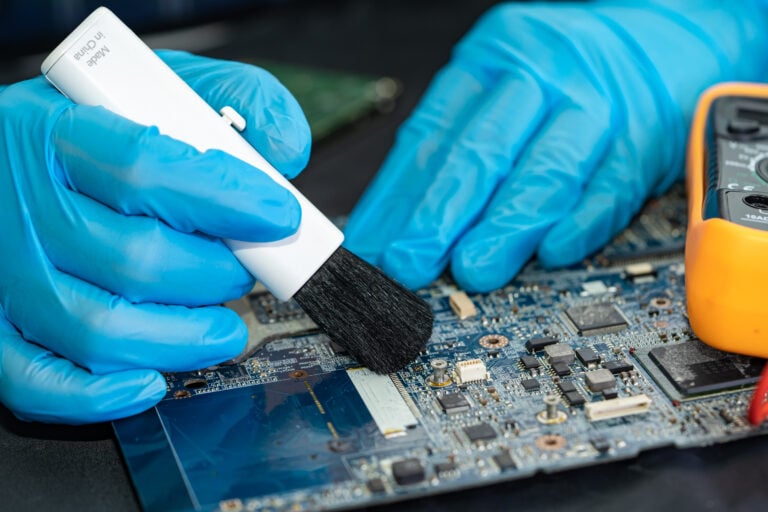
- To get rid of dust and dirt before you start use compressed air or a soft brush to clean a PCB. This will stop sharp particles from scratching the surface of the PCB when you are cleaning it. You should clean a PCB carefully to keep it in condition.
- Spot clean corroded areas Moisten a cotton swab with isopropyl alcohol (IPA) and clean the corroded area. Using a toothbrush, lightly brush the board, but avoid lifting pads or traces.
- In case of thick corrosion If you need to clean a corroded, gooey or crusted surface, apply a cloth moistened with IPA to the surface and rest for a few minutes, then brush. Repeat as needed.
- Special Cases: Battery Corrosion
- In case of alkaline battery leakage, clean a cotton swab with vinegar to dissolve the salts, then clean it with IPA.
- For acid corrosion treatment, apply a baking soda and water paste to neutralize, then rinse well with distilled water.
- Rinse and Dry
- Always rinse with distilled or de-ionised water after the use of cleaning agents, to eliminate any residues or ions that may be present which might lead to further corrosion.
- Use compressed air or allow the board to dry in air in a dust-free environment, or dry it in a warm oven (122–140°F/50–60°C) for 1 to 2 h.
- Never reassemble until the board is completely dry.
Ultrasonic PCB Cleaning
When dealing with tough corrosion or contamination in small spaces, ultrasonic cleaning PCB bath provides the best cleaning results.
- Put the PCB in the ultrasonic cleaner with an appropriate cleaning solution – either a commercial PCB cleaning agent diluted according to the manufacturer’s instructions, or a solution of high-purity IPA and distilled water.
- Turn on the cleaner for 3-5 minutes, making sure cavitation gently detaches and dissolves corrosion particles also under
- After cleaning, rinse immediately with distilled water to wash away any residues of the cleaning agent and dry the board completely with compressed air and in a low-heat oven if possible.
Note: Some sensitive components (e.g., microphones, batteries, mechanical switches) need to be removed before ultrasonic cleaning to prevent damage. Always check the PCB manufacturer’s recommendations or datasheets.
Alternative Techniques and Household Products
In certain situations—namely when you’re working in your home or dealing with a shortage of supplies—you can apply this for rust and localized corrosion:
- Contact Cleaner:Good for eliminating light rust, without leaving any residues. Test on a small area first for compatibility.
- Baking Soda and Water:Prevents acid damage (from exploding batteries). Make a paste, apply with a q-tip, then rinse thoroughly with IPA.
- White Vinegar:Utilizing for cleanse alkaline battery After use, rinse thoroughly.
Keep in mind to gently scrub the board, concentrate on the rusted parts, and make sure to use appropriate cleaning products instead of using abrasive or rude kitchen cleaners.
How to Clean a PCB from Other Contaminants and Dust
Cleaning the PCB requires dust, flux residue, and sticky spills also get removed as these contaminants can lead to corrosion or eventual abnormal PCB behavior.
Remove Dust from a PCB
- Use compressed air to blow off loose dust.
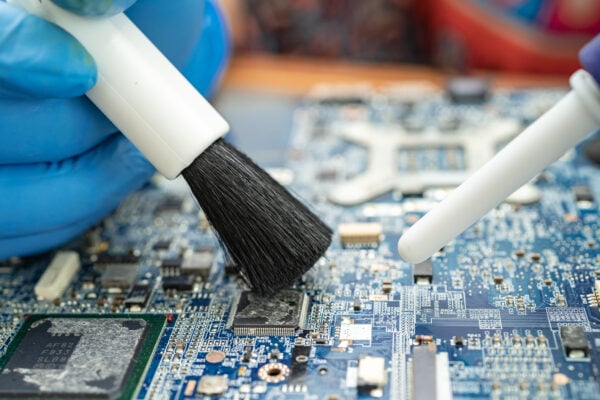
- For stubborn areas, use a soft brush or microfiber cloth.
- Never use vacuum cleaners, which may build up static and damage the board.
Sticky or Wet Contaminants
- Clean with IPA: Moisten a lint-free cloth with NSP Isopropyl Alcohol and clean the sticky areas.
- For the spilled drink or food, after cleaning, rinse with distilled water and dry thoroughly.
Flux or Ionic Residue
- There are many cleaners and flux removers on the market; apply with a cotton swab or a brush.
- Rinse and dry the PCB carefully to avoid further issues.
Repairing Damage & Testing After Cleaning the PCB
After successfully cleaning the PCB, inspect for physical damage:
Inspect and Repair
| Issue | Solution |
| Lifted pads | Reinforce with conductive epoxy or carefully solder a jumper wire. |
| Broken traces | Use fine wire to bridge broken traces (trace repair). |
| Severely pitted copper | Scrape with a small tool, tin with solder, or replace trace if needed. |
| Exposed copper | Cover with conformal coating or solder mask after repair to prevent corrosion. |
Testing Electrical Connections
- Use a multimeter continuity test and resistance tests along all critical paths.
- If the board powers up but shows unstable signals or intermittent issues, re-examine for hidden corrosion or missed connections.
Component Replacement
- For components damaged by corrosion (especially from battery leakage or overheat), replace with new parts after cleaning the contacts.
How to Prevent Corrosion on PCB Assemblies
Avoiding corrosion is simpler than long repair work. Use these best practices especially in high humidity or difficult environments:
- Conformal Coating for PCBs: Apply thin, clear protective layers after cleaning and repair. Widely used outdoors on marine or industrial equipment.
- Environmental Control: Store boards with silica gel packets, keep the assembly area clean, dry assembly area Do not immerse the boards in water or subject them to excessive heat.
- Routine PCB Maintenance: Clean the boards regularly and perform a visual inspection for the initial signs of possible corrosion.
- Use Noble Metal Finishes: Gold or nickel plating on exposed pads minimizes rust and corrosion.
- Design for Durability: Maintain good trace clearance, seal around high-risk areas, and prevent contaminant ingress.
In order to enhance the long-term reliability under humid or corrosive conditions, the LingKey manufacturer offers conformal coating, ENIG surface finish, controlled PCB cleaning process and high-reliability PCB assembly.
Common Mistakes and Troubleshooting in Circuit Board Cleaning
- Skipping ESD Precautions: Not grounding during assembly or cleaning can cause permanent damage to the PCB.
- Using Abrasive Tools or Harsh Cleaners: If through scratching or chemical attack the board surface is damaged, it will result in future failures.
- Cleaning Board While Powered: This will almost always cause shorts or damage ICs.
- Not Thoroughly Drying: Moisture entrapped under the components, reactivates the corrosion process.
- Ignoring Localized Corrosion: Even tiny areas of corrosion can eventually cause entire board failures.
Frequently Asked Questions (FAQs)
Q: Is it safe to clean corrosion with household products?
A: Apply baking soda mixed with water for acid spills and vinegar for alkali corrosion, but rinse with distilled water and clean with IPA at the end.
Q: How often should I clean a PCB?
A: Check regularly (monthly in severe conditions); clean when dust or discoloration is seen, or after contact with water.
Q: Does ultrasonic cleaning damage the board?
A: Ultrasonic PCB cleaning is commonly safe for all types of circuit boards, however it may cause damage to sensitive components.
Q: What if rust or corrosion has eaten large parts of a trace?
A: Conduct trace repair or wiring bridges with conductive epoxy or thin jumper wire, replacing the entire board if the damage is severe.
Q: Should I apply conformal coating myself?
A: Once you’ve cleaned the PCB and allowed it to dry thoroughly, apply a coat of an electronics spray-on conformal coating to seal repairs and exposed traces.
Q: Can I use rubbing alcohol instead of pure IPA?
A: Isopropyl alcohol can be diluted or contain additives. Clean with IPA (≥90%) for best results.
Conclusion
PCB corrosion could bring about safety and reliability problems and even performance degradation for electronic devices in the absence of treatment. Proper cleaning processes, suitable PCB cleaners, careful drying processes and good inspection standards are needed to prevent shorts, damaged traces and electrical failures in the field. From moisture exposure to battery leakage and even dust contamination or industrial environments, lengthening a PCB’s service life is as easy as applying the right cleaning and protection methods.
For higher environmental specifications the professional PCB production and assembly process is also very important. From corrosion-resistant surface finishes and conformal coatings to controlled PCB cleaning and inspections, manufacturers such as LingKey assist customers with dependable PCB fabrication and PCB assembly solutions for industrial, automotive, consumer electronics and other high demand applications.